A gated commit, also called a pre-tested commit, is an integration pattern in which a commit is not approved until a set of tests are ran against the code being commited. In other words, the commit does not go through if the test suite fails.
Why do you want this? It makes your application more resilient to change since now you are running a set or sub-set of your tests even before that code is available to anyone else.
I am going to show you how to implement a gated commit pattern with Git. In this example, our unit test suite will be the gate to allow our commits to make it to the codebase.
___We want our tests to run before a commit goes through. Git allows us to run custom commands just before that event happens thanks to Git hooks. I am not going to go into the details on how they work, but conveniently for us, there is a hook called pre-commit. This hook is executed just before the commit happens. Perfect spot for our test suite to run.
In your Git repo, there is a folder named .git in which the hooks are stored. If you have never modified any hook, your .git directory structure will look like this:
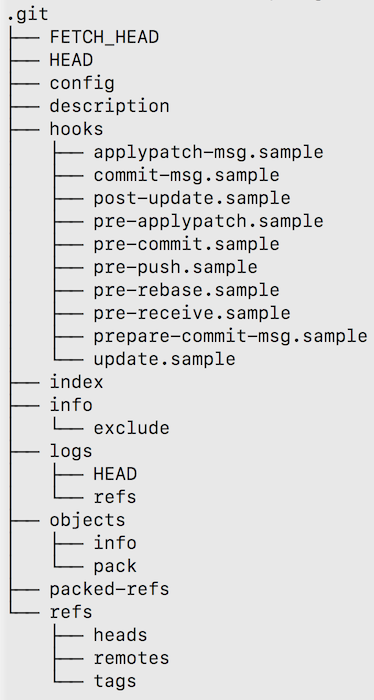To create our hook, we need to have a file called pre-commit (no extension required) inside our hooks directory. Let's create it. The only thing the file needs to have is the command you use to run your tests. Also, don't forget to make the file executable (chmod +x).
If your application is, let's say, a Ruby application, you probably run your tests using rake. If that's the case, your pre-commit file will look like this:
rake test:units
Or if you are into the JS hype, you can probably have this in your file:
npm tests
Independently of the language/framework you are using, your pre-commit hook needs to have the command to run your unit test suite. And, as long as the code inside the hook returns a zero exit code, the hook will allow the code to be commited. Otherwise, the commit will be rejected.
At this point you can go ahead and make a commit and see how our tests are run (and hopefully pass), thus opening the gate and letting the commit pass uncontested.
In the following example I am using a Grails application, and the pre-commit hook contains the following code:
grails test-app -unit
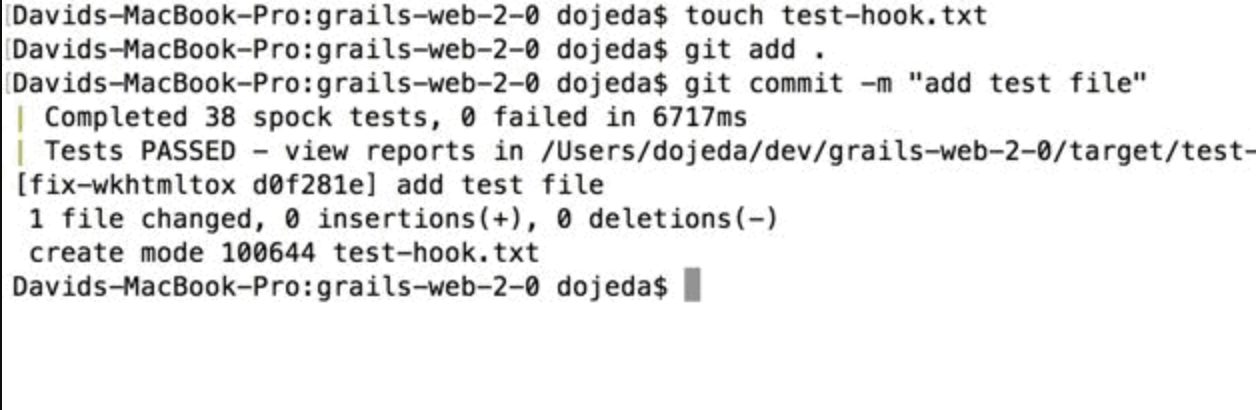
Success! 🥳
In the case that the test suite fails:
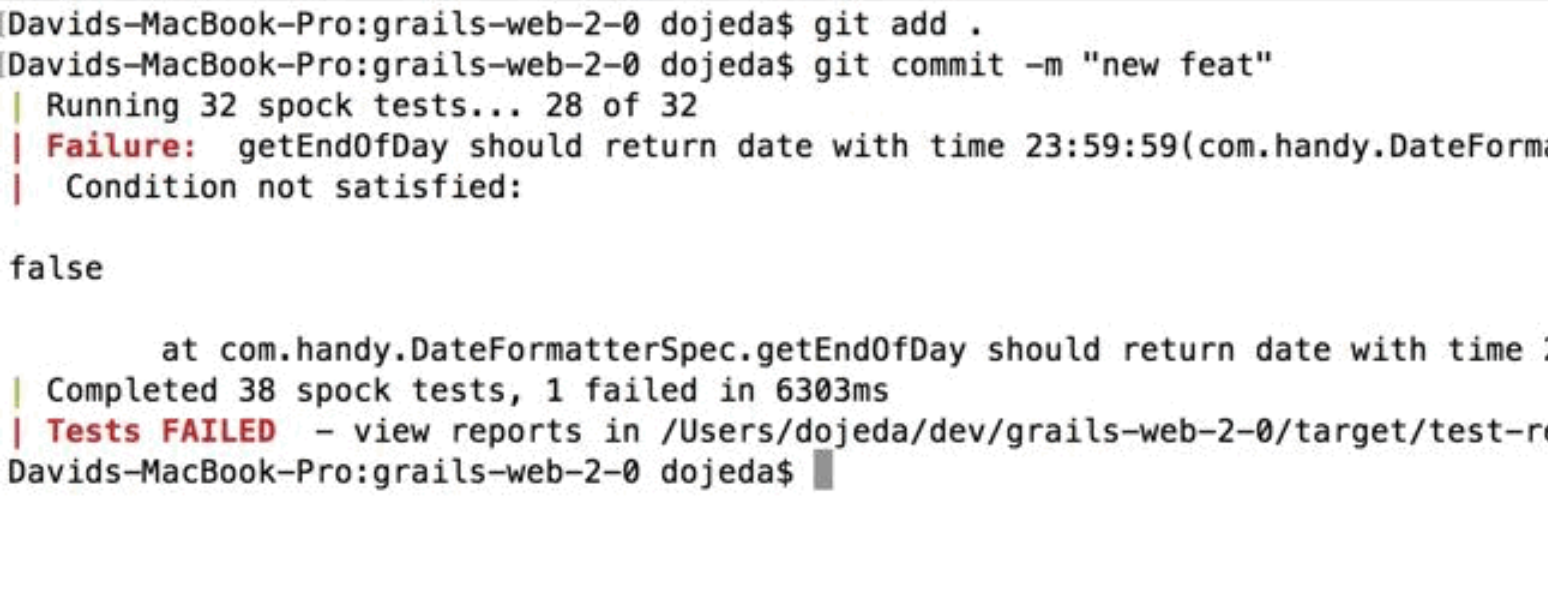Sad face 🙁
We have just created a Git pre-commit hook that contains specific commands to execute our app's unit test suite. Whenever a commit is issued, our tests run. If tests pass, we have a successful commit, if not, commit is rejected.
You can extend your tests of the pre-commit hook and build something as complex as you need. You can, for example, run a linter tool to make sure style guidelines are being followed. Or take it to the next level and integrate it with your Continuous Integration flow using additional hooks.
Hope this helps you build more resilience into your codebase and, ultimately, deliver more value to your customers in a safe and rapid fashion!